OKI 4510 Manuale Utente Pagina 6
- Pagina / 32
- Indice
- RISOLUZIONE PROBLEMI
- SEGNALIBRI

- Safety instructions 2
- Contents 3
- Installation 4
- Description 5
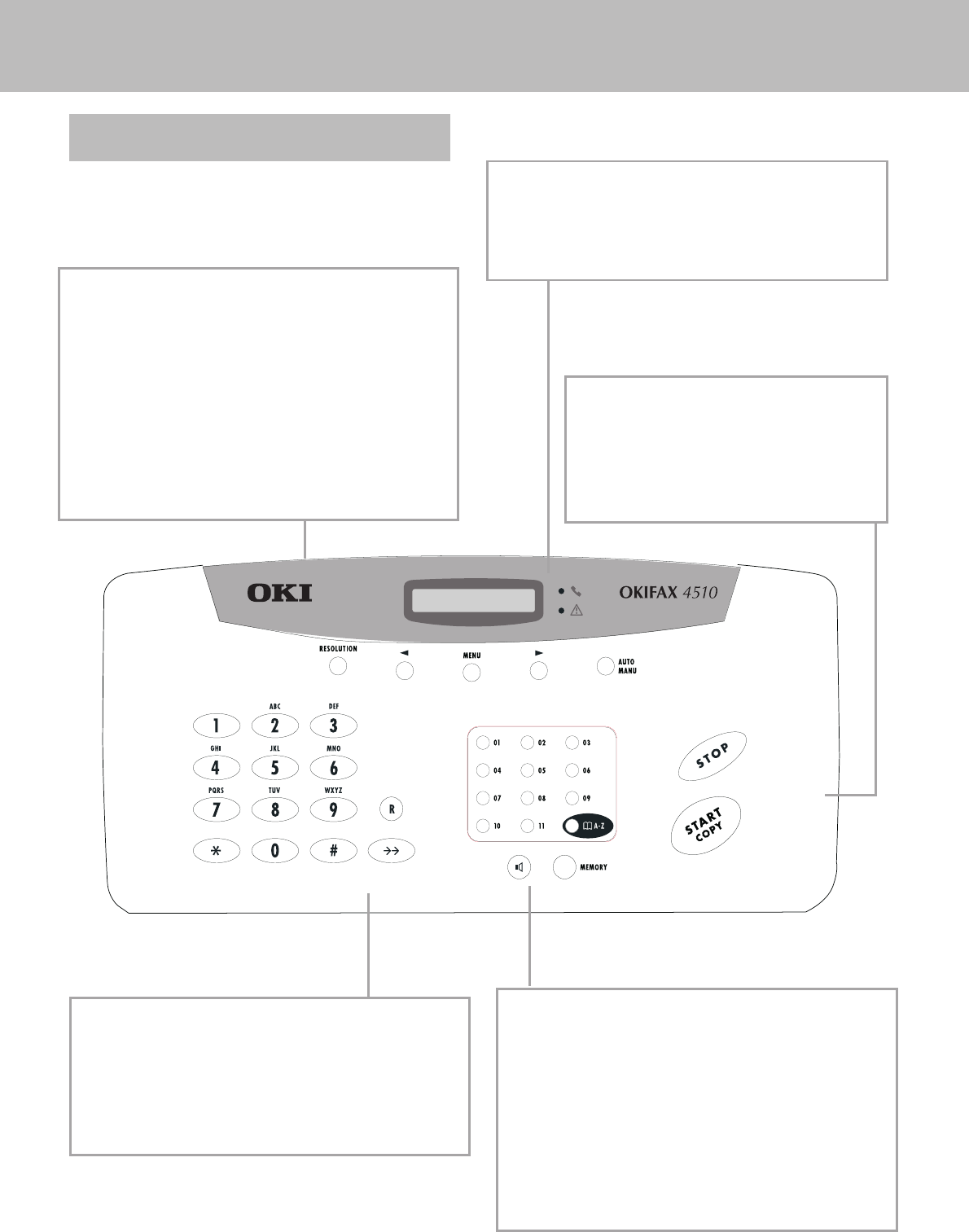
- Controls 6
- Accessories 7
- Inserting paper 8
- Inserting toner 8
- Changing toner 9
- Connecting the fax 9
- Additional 10
- ISDN connection 10
- Private branch 10
- Basic settings 11
- Energy save mode 12
- Toner save mode 12
- List of settings 12
- Fax switch 13
- Dial options 14
- Calling line 15
- Printing a journal 16
- Inserting a 17
- Sending a fax 17
- Resolution 17
- Reducing 17
- Broadcast 18
- Sending later 19
- Sending with code 19
- Receive polling 19
- Transmit polling 20
- Transmission speed 20
- Reception speed 20
- Transmission report 20
- Reception report 20
- Making single copies 21
- Making multiple copies and 21
- Troubleshooting 22
- Error codes 24
- Technical data 26
- Glossary 26
- Guarantee 27
- Declaration of 28
Prodotti e manuali riguardandi Apparecchi multifunzione OKI 4510
 (176 pagine)
(171 pagine)
(114 pagine)
(176 pagine)
(171 pagine)
(114 pagine)
© 2020, manymanuals.it. Tutti i diritti riservati | 0.046 s |
 Manymanuals.com
 Manymanuals.de
 Manymanuals.fr
 Manymanuals.it
 Manymanuals.pl
 Manymanuals.cz
 Manymanuals.es
 Manymanuals-pt.com
Commenti su questo manuale