OKI 70037401 Manuale Utente Pagina 12
- Pagina / 16
- Indice
- SEGNALIBRI

- OKI 70037401 1
- 70037501 & 70037601 1
- Memory DIMM 1
- Installation Instructions 1
- Getting Started 3
- Prepare the Printer 4
- C7000 Series C9000 Series 5
- Install the DIMM(s) 6
- Complete the Installation 8
- Check for Proper Installation 10
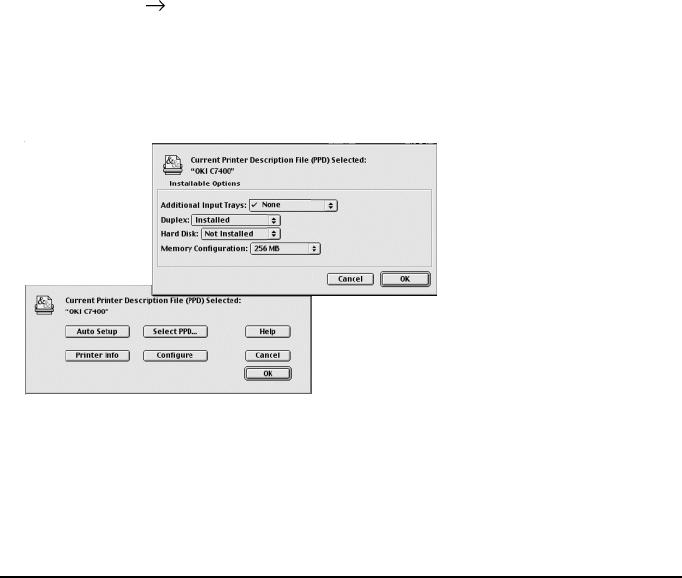
- Change the Memory Setting 11
- Macintosh 12
- Limited Warranty: 13
- United States & Canada 13
- 58346602 16
Prodotti e manuali riguardandi no OKI 70037401
 (67 pagine)
(34 pagine)
(16 pagine)
(2 pagine)
(36 pagine)
(24 pagine)
(11 pagine)
(1 pagine)
(67 pagine)
(34 pagine)
(16 pagine)
(2 pagine)
(36 pagine)
(24 pagine)
(11 pagine)
(1 pagine)
© 2020, manymanuals.it. Tutti i diritti riservati | 0.060 s |
 Manymanuals.com
 Manymanuals.de
 Manymanuals.fr
 Manymanuals.it
 Manymanuals.pl
 Manymanuals.cz
 Manymanuals.es
 Manymanuals-pt.com
Commenti su questo manuale